

Cloudflare is a comprehensive platform that offers solutions to enhance the security, performance, and reliability of websites and online applications through a variety of cloud services.
https://cloudflare.com
Video tutorial
Integrating PERENDER with Cloudflare
Open your Cloudflare dashboard (https://dash.cloudflare.com).
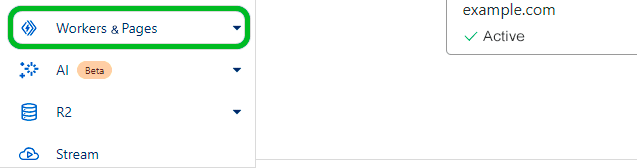
In the left sidebar, select the Workers & Pages option.
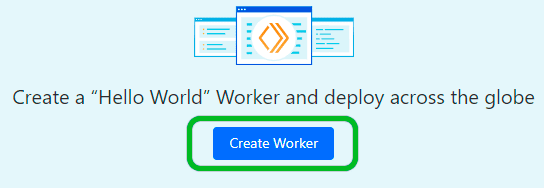
Select the Create Worker button.
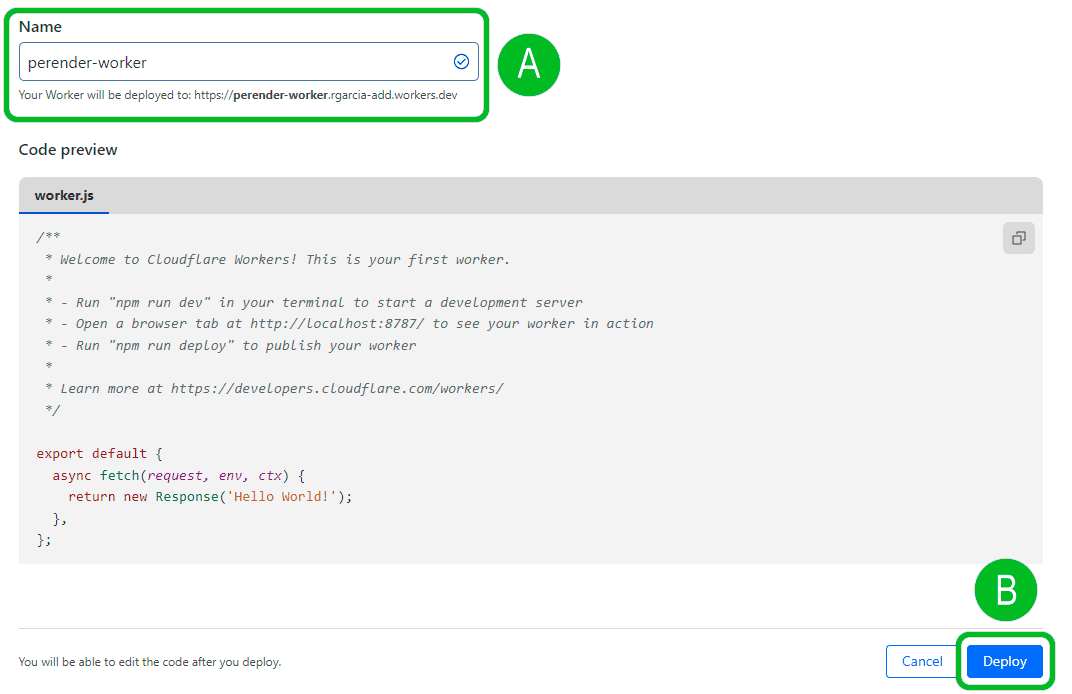
1. Define the name of your Worker (A) (Example: perender-worker )
2. Afterward, click the Deploy button (B)
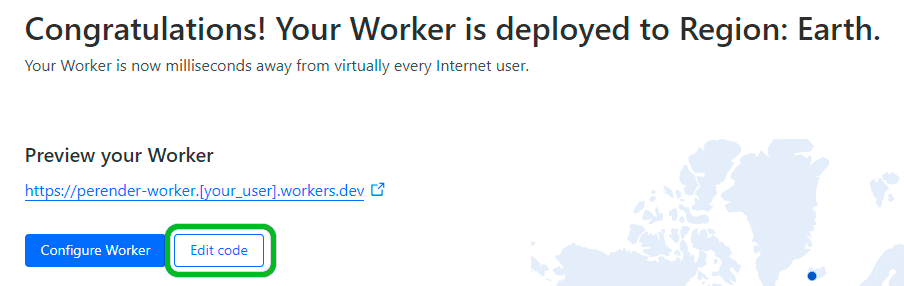
Click on Edit code.
1. Copy the provided code below or access the GitHub repository at the following address (https://github.com/perender/perender-cloudflare-worker/blob/main/index.js)
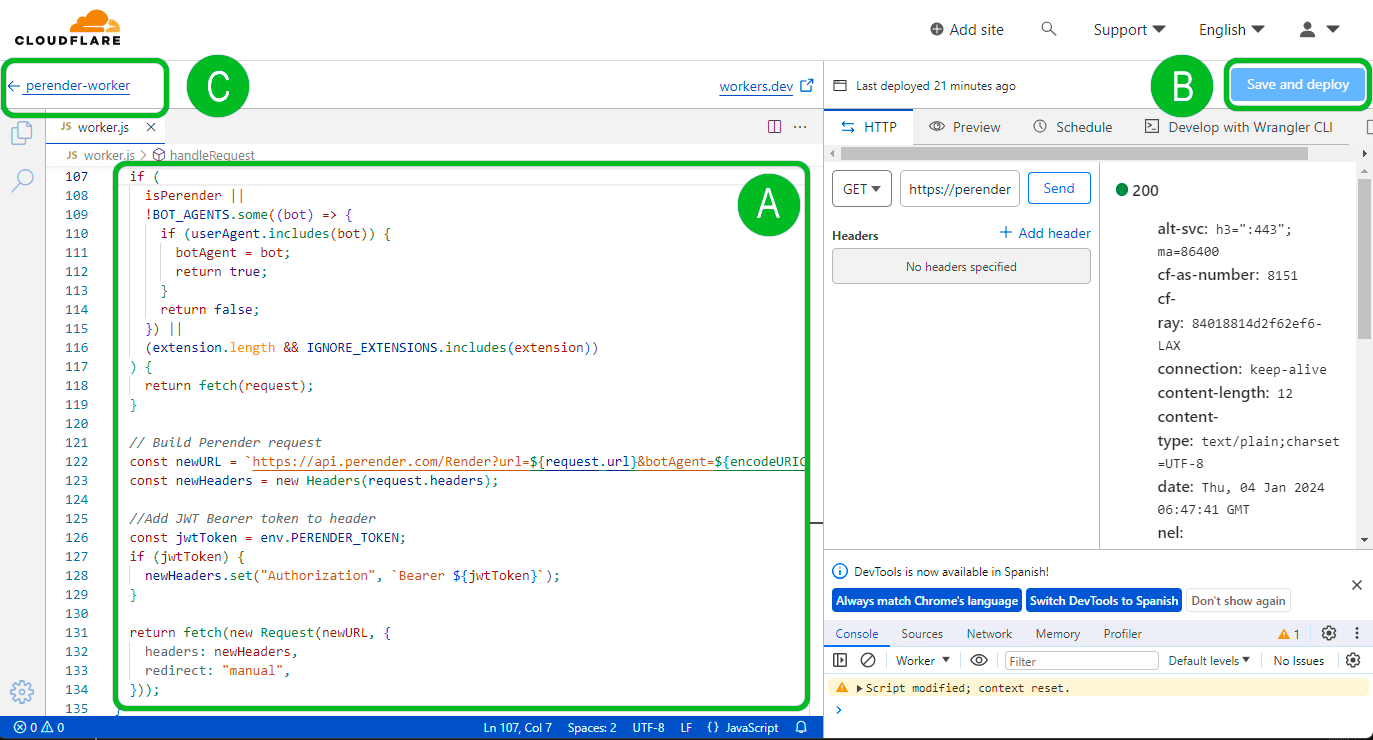
const BOT_AGENTS = [ // Search engines ---------------------------------- "googlebot", "bingbot", "yandex", "baiduspider", "duckduckbot", "msnbot", "adidxbot", "yahoo! slurp", "qwantify", "petalbot", "bytespider", "sogou web spider", "sogou inst spider", "exabot", "seznambot", "naverbot", "yetibot", "yandexbot", "yandeximages", "yandexaccessibilitybot", // AI Bots and LLM --------------------------------- "perplexity", "perplexitybot", "oai-searchbot", "chatgpt", "gptbot", "claudebot", "cohere-ai", "youbot", // Social networks and preview -------------------- "facebookexternalhit", "twitterbot", "linkedinbot", "embedly", "quora link preview", "showyoubot", "outbrain", "pinterest/0.", "developers.google.com/+/web/snippet", "slackbot", "vkshare", "redditbot", "whatsapp", "flipboard", "tumblr", "bitlybot", "skypeuripreview", "nuzzel", "discordbot", "slackbot-linkexpanding", "flipboardproxy", "flipboardrss", "snapchat", "viber", "mattermost", "telegrambot", // SEO and analytics --------------------------------- "chrome-lighthouse", "lighthouse", "google page speed", "siteimprove", "serpstatbot", "uptimerobot", "uptimebot", "pingdom", "gtmetrix", "majestic-12", "mj12bot", "semrushbot", "ahrefsbot", "dotbot", "screaming frog seo spider", "seokicks", // Others ------------------------------------------ "rogerbot", "360spider", "soso", "baiduspider-render", "applebot", "bitrix link preview", "xing-contenttabreceiver", "integration-test", "google-inspectiontool", "amazonbot", "adsbot-google", "googlebot-image", "googlebot-news", "googlebot-video", "facebot", "w3c_validator", "w3c-checklink", "archive.org_bot", "paperlibot", "dataprovider.com", "grapeshotcrawler", "zoominfobot", "feedly", "feedlybot", "newsblur", "inoreader", "ccbot"];const IGNORE_EXTENSIONS = [ ".js", ".css", ".xml", ".less", ".png", ".jpg", ".jpeg", ".gif", ".pdf", ".doc", ".txt", ".ico", ".rss", ".zip", ".mp3", ".rar", ".exe", ".wmv", ".avi", ".ppt", ".mpg", ".mpeg", ".tif", ".wav", ".mov", ".psd", ".ai", ".xls", ".mp4", ".m4a", ".swf", ".dat", ".dmg", ".iso", ".flv", ".m4v", ".torrent", ".woff", ".ttf", ".svg", ".webmanifest", ".webp"];//Hooks into the request, and changes origin if neededexport default { async fetch(request, env) { return await handleRequest(request, env).catch( (err) => new Response(err.stack, { status: 500 }) ); },};async function handleRequest(request, env) { let botAgent = null; const url = new URL(request.url); const userAgent = request.headers.get("User-Agent")?.toLowerCase() || ""; const isPerender = request.headers.get("X-Perender"); const pathName = url.pathname.toLowerCase(); const extension = pathName .substring(pathName.lastIndexOf(".") || pathName.length) ?.toLowerCase(); // Perender loop protection // Non robot user agent // Ignore extensions if ( isPerender || !BOT_AGENTS.some((bot) => { if (userAgent.includes(bot)) { botAgent = bot; return true; } return false; }) || (extension.length && IGNORE_EXTENSIONS.includes(extension)) ) { return fetch(request); } // Build Perender request const newURL = `https://api.perender.com/Render?url=${request.url}&botAgent=${encodeURIComponent(botAgent)}`; const newHeaders = new Headers(request.headers); //Add JWT Bearer token to header const jwtToken = env.PERENDER_TOKEN; if (jwtToken) { newHeaders.set("Authorization", `Bearer ${jwtToken}`); } return fetch(new Request(newURL, { headers: newHeaders, redirect: "manual", }));}2. Paste the code into the Cloudflare editor as shown in the image (A)
3. Afterward, click the Save and Deploy button (B)
4. Then click (C) to return to the worker configuration.
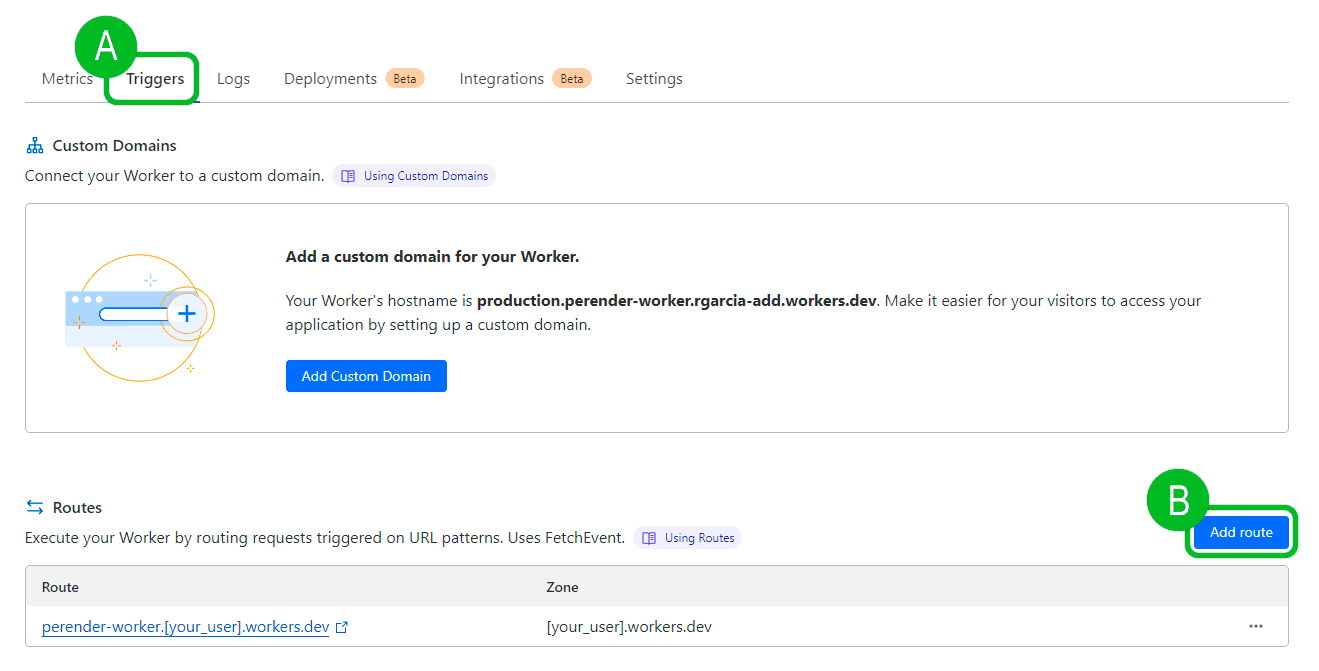
1. In the worker settings, select the Triggers tab (A)
2. Afterward, click the Add route button (B)
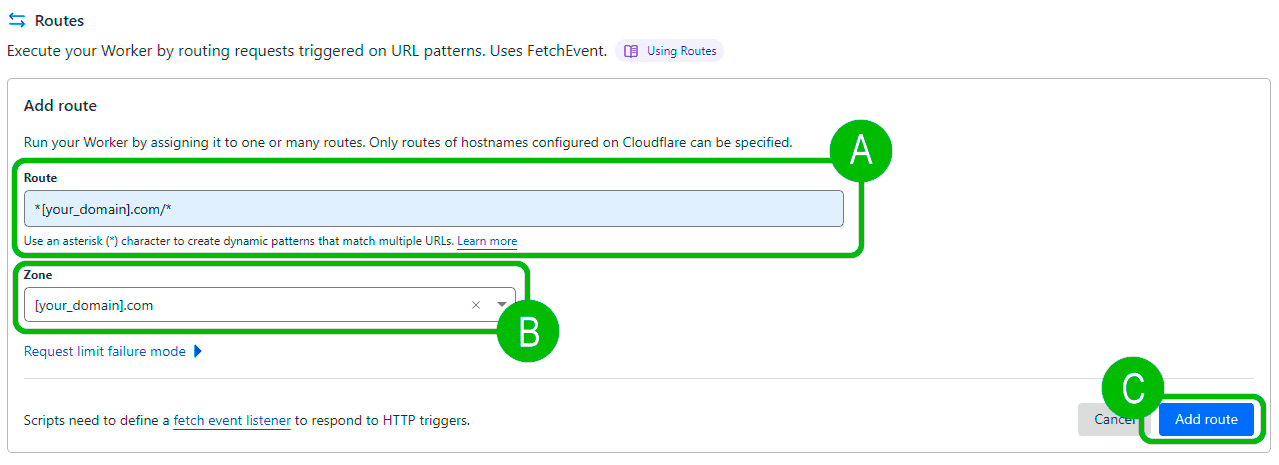
1. Define the Route (A)
2. Define the Zone (B)
3. Afterward, click the Add route button (C)
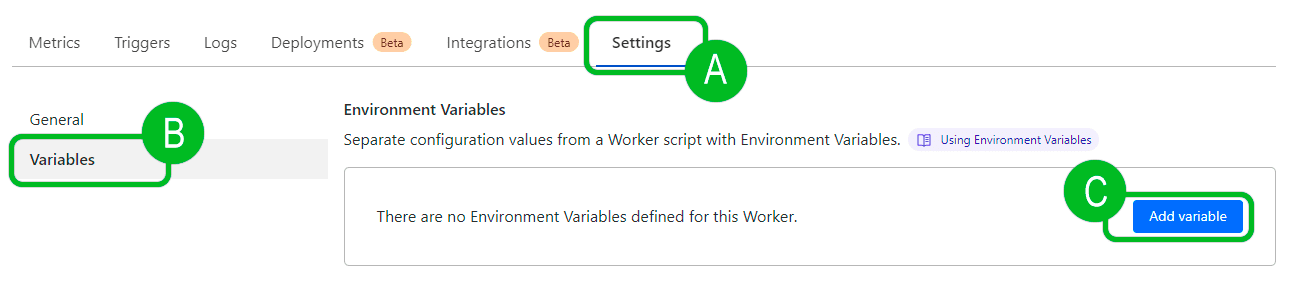
1. In the worker settings, select the Settings tab (A)
2. Then select Variables (B)
3. Afterward, click the Add variable button (C)
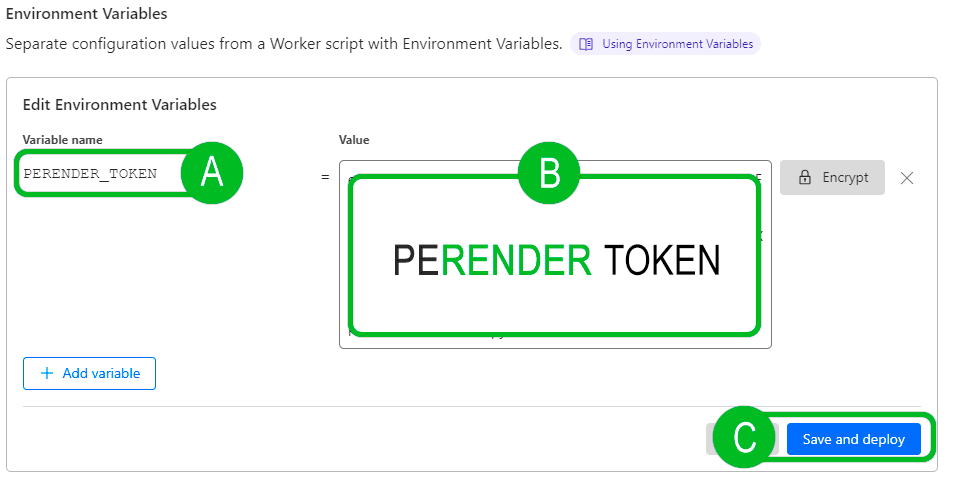
1. Set the name of your variable as PERENDER_TOKEN (A)
2. In the variable value, paste the PERENDER_TOKEN, which you can obtain from the dashboard.
3. Afterward, click the Save and Deploy button (C)